01
Goal
The idea for the project came from a personal travel blog running
on Joomla. The notes were already stored in the CMS database, but
I wanted a separate interface where all trips could be viewed on a
map and filtered when needed.
The main goal was not to duplicate the data in a new system, but
to use the existing Joomla database as the source of truth and
Laravel API as the layer connecting the database with the Vue
interface.
02
Architecture
The project is divided into several layers. Joomla handles content
storage, Laravel provides the API, and Vue.js manages the map
interface. MapLibre GL is used for visualization.
As the project evolved, table synchronization was implemented.
Data is transferred from Joomla to a Laravel table and retrieved
directly from there. New data is added to the Laravel table,
existing records are updated, and outdated entries are removed.
Data caching using Redis was implemented to optimize queries.
A scheduler runs these services at regular intervals.
Data flow: Joomla DB → Scheduler →
Synchronization → Laravel DB (name_table)
Laravel API → Redis → Vue.js → MapLibre GL → markers and popups
MySQLLaravel APIRedisVueMapLibre
03
Data Retrieval
The scheduler accesses the Joomla content table via a dedicated
database connection, retrieves the data, and then adds, updates,
or deletes records in the Laravel table.
DB::connection('database_joomla')
->table('name_table_joomla')
->get();
Subsequent data requests are served directly from the Laravel
table.
 return self::query()
->select(...)
A dedicated endpoint allows for retrieving data points filtered by
year, so Vue does not need to load and process the entire dataset
every time the filter changes.
Data is cached using Redis, eliminating the need to repeatedly
fetch it from the database table. The cache is also refreshed
hourly by the scheduler.
04
Map and Markers
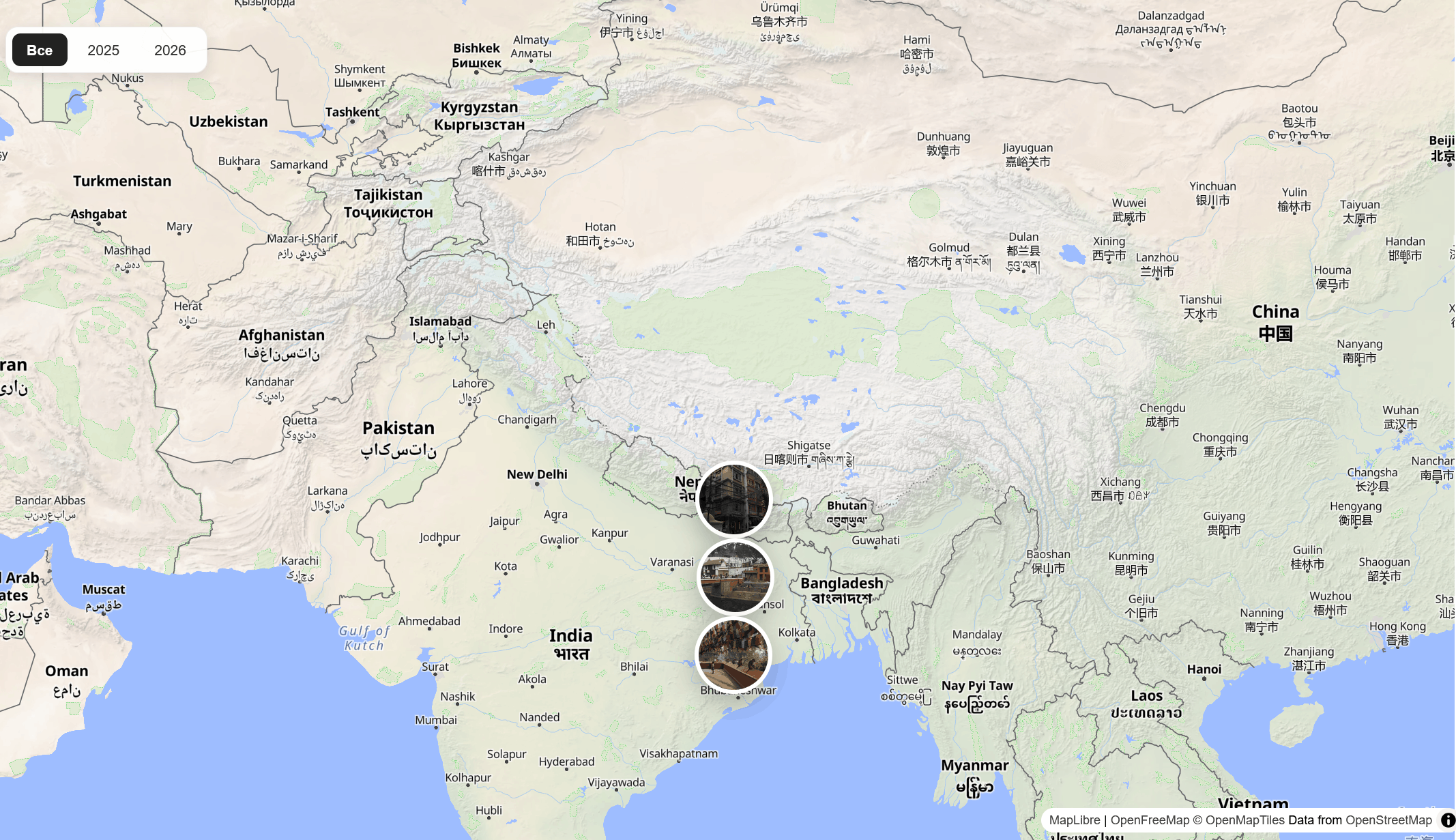
MapLibre is used on the client side to render the map. A marker is
created for each record, while the popup displays additional trip
information.
The marker and popup styling was also refined so that the map
interface looks clean and modern.
05
Filtering
The year filter sends a request to the Laravel API. If no year is
selected, the full set of locations is loaded. When a year is
selected, the API returns only matching records.
/api/filter-data?year=2025
This approach keeps the filtering business logic on the server and
avoids loading unnecessary data into the browser.
07
Result
The result is a standalone mapping interface that utilizes real
data from the travel blog and can evolve independently of Joomla.
The architecture also allows for the addition of new filters,
point types, and additional API methods.